
MTSS:Mobile TruckStop Scanning6.00.1 - Google Play
You'll be able to see results in few seconds.
Publisher Description
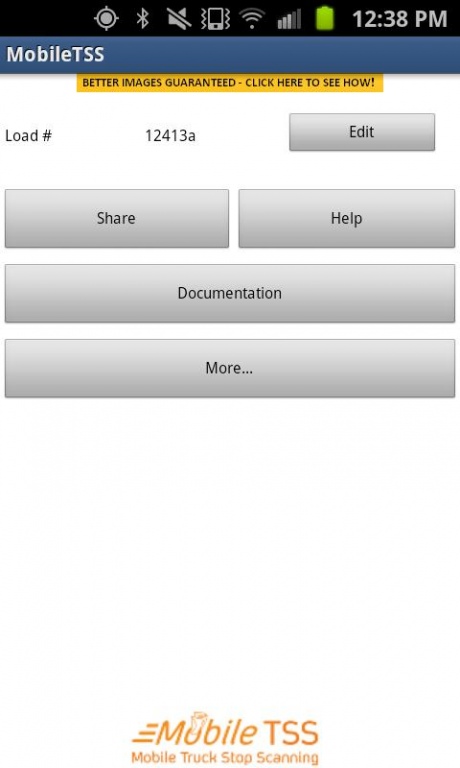
For Carriers, Couriers and Truck Drivers looking to save time and money ONLY!!!
Document delivery to your home office’s imaging system is fast, inexpensive and easy. With Mobile TSS: Mobile Truck Stop Scanning by uFollowit at your fingertips, you can produce high quality document images and forward them to your home office indexed and ready for import into your imaging system. Additionally, if you or your carrier uses TripPak SERVICES, you can forward your trip documents to them without having to drive to a ‘brick and mortar’ truck stop.
Simply complete the advanced profile under the edit “order detail” page in the application so that you can receive prompt feedback and notification once your documents have been approved and received by the Mobile Truck Stop Scanning station in the ‘cloud’. You must enter at a minimum, an order number so that we can group related documents together. The order number (AKA Load Number / Trip Number etc…) can be a number you assign or one assigned by a shipper, third-party or dispatch office. Select the document type from our extensive list (bill of lading, trip logs, scale tickets, fuel/expense receipts, ‘lumper’ fees or photos of damaged freight, just to name a few) and snap the photo or load an image from your photo gallery. The images in your gallery can come from your choice of a Wi-Fi enabled scanner or any of the many camera apps available (HINT: scan your images in color). Lastly, carefully review the images on the phone, approve or retake and send them into the Mobile TSS service.
Mobile TSS will now review and objectively grade your document image for readability on the phone when an image does not meet the quality score required for archival.
From the 30-Day Document History page you can forward the documents grouped by Order # to an email address or you can forward them to your home base / office via TripPak SERVICES. You will receive notification once again when those documents are successfully forwarded via email or received by TripPak SERVICES.
The ‘More’ button is loaded with tools that drivers have told us are important to them, such as Truck Stops and Wal-marts near their current location and weather in the surrounding area.
The possibilities are endless. Please contact Mobile TSS by uFollowit today to learn more about our customizable version of the application for your carrier, small trucking company or courier service. We are confident we can help make you more efficient and profitable by using the power that Android device in your hand.
To assist with quality document capture, Mobile TSS by uFollowit strongly recommends you watch the series of videos available on the Help button within the application and the use of the innovative uScanit Clipbox: available at http://www.uscanit.com
As always we want to hear from you - please reach out to us and provide us feedback either by phone (800) 256- 6414 or by email: support@uFollowit.com
Thank you for the opportunity to earn your business.
About MTSS:Mobile TruckStop Scanning
The company that develops MTSS:Mobile TruckStop Scanning is uFollowit, Inc.. The latest version released by its developer is 6.00.1.
To install MTSS:Mobile TruckStop Scanning on your Android device, just click the green Continue To App button above to start the installation process. The app is listed on our website since 2013-03-04 and was downloaded 0 times. We have already checked if the download link is safe, however for your own protection we recommend that you scan the downloaded app with your antivirus. Your antivirus may detect the MTSS:Mobile TruckStop Scanning as malware as malware if the download link to com.tvirtualna.mobiletss is broken.
How to install MTSS:Mobile TruckStop Scanning on your Android device:
- Click on the Continue To App button on our website. This will redirect you to Google Play.
- Once the MTSS:Mobile TruckStop Scanning is shown in the Google Play listing of your Android device, you can start its download and installation. Tap on the Install button located below the search bar and to the right of the app icon.
- A pop-up window with the permissions required by MTSS:Mobile TruckStop Scanning will be shown. Click on Accept to continue the process.
- MTSS:Mobile TruckStop Scanning will be downloaded onto your device, displaying a progress. Once the download completes, the installation will start and you'll get a notification after the installation is finished.
Program Details
System requirements
Download information
Pricing
Version History
version 6.00.1
posted on 2013-03-04
6.00.0,- Added auto-edge detection (put documents on a dark background),- Images are now reviewed on the device so that the user gets immediate image feedback/scoring,- Works great with the uScanit Clipbox - www.uscanit.com,6.00.1,- Bug fixes for registration and better memory mgmt.
Disclaimer
Official Google Play Link
We do not host MTSS:Mobile TruckStop Scanning on our servers. We did not scan it for viruses, adware, spyware or other type of malware. This app is hosted by Google and passed their terms and conditions to be listed there. We recommend caution when installing it.
The Google Play link for MTSS:Mobile TruckStop Scanning is provided to you by apps112.com without any warranties, representations or guarantees of any kind, so access it at your own risk.
If you have questions regarding this particular app contact the publisher directly. For questions about the functionalities of apps112.com contact us.
